
ISO Injection
ISO injection integrates the ReviOS Playbook directly into a stock Windows 11 installation image.
ISO injection is an experimental feature of AME Wizard Beta. Always test generated media before deploying to primary workstations.
Prerequisites
- USB drive: At least 8 GB capacity. The creation process formats this drive.
- Backup: Copy all critical data to a separate physical drive or cloud storage before installing.
- Software: Download the latest AME Wizard Beta and the ReviOS Playbook.
Download a Windows ISO
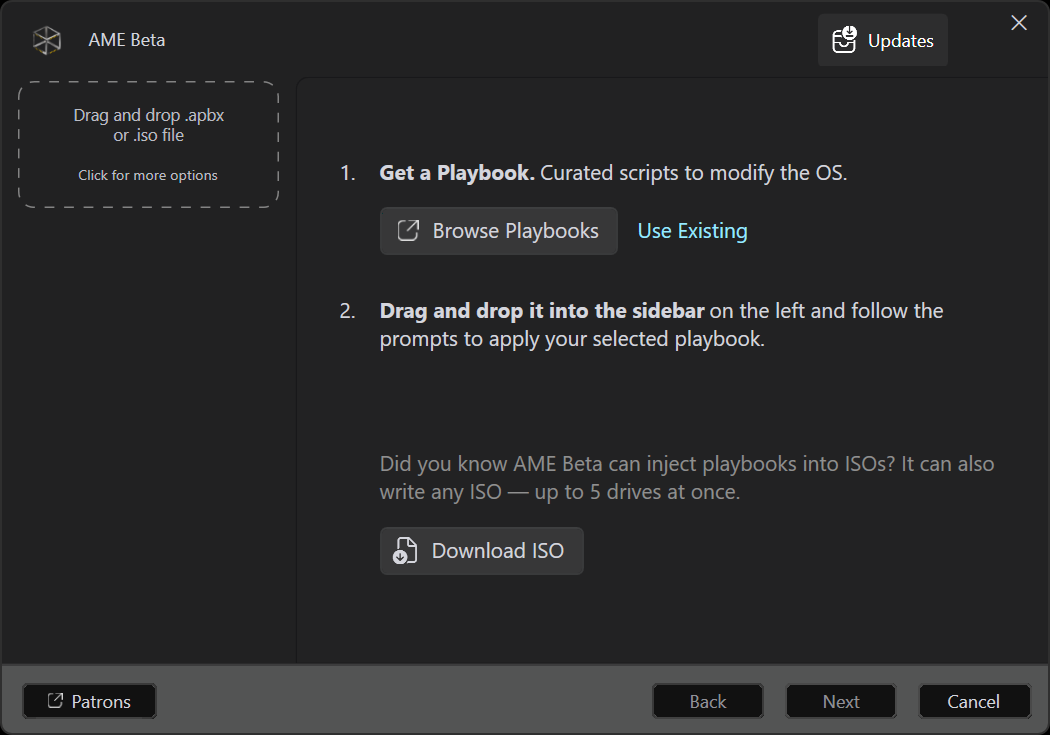
- Open AME Wizard Beta.
- Click Download ISO.
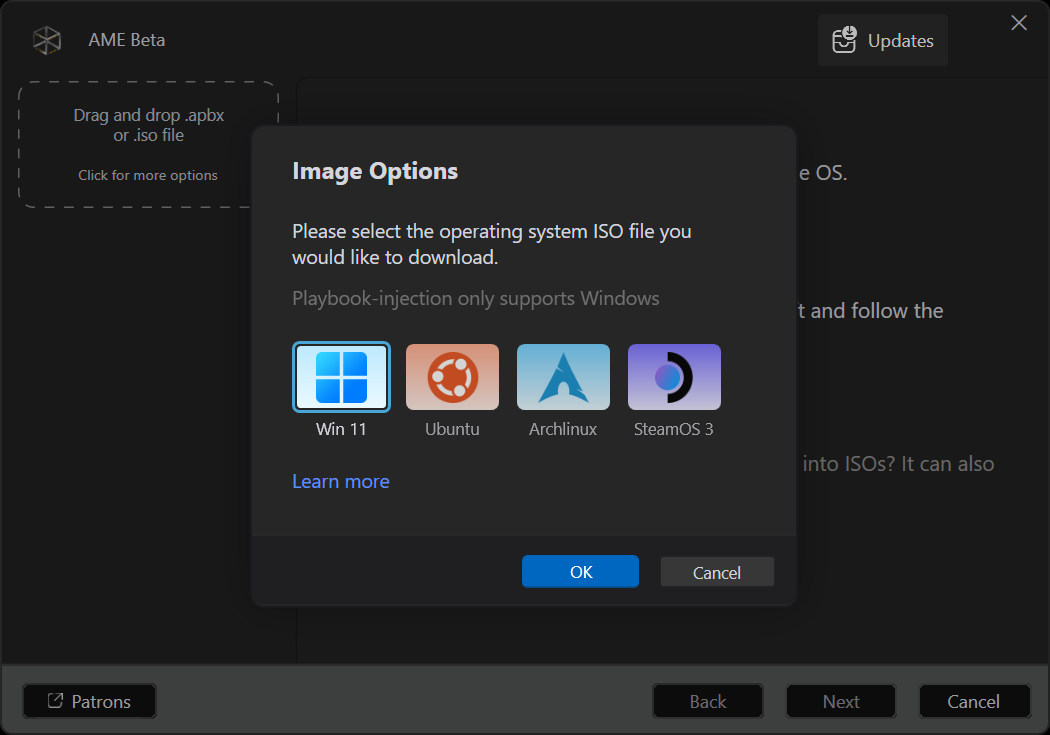
- Select Win 11 and click OK.
- Wait for the download to finish.
Load the Playbook
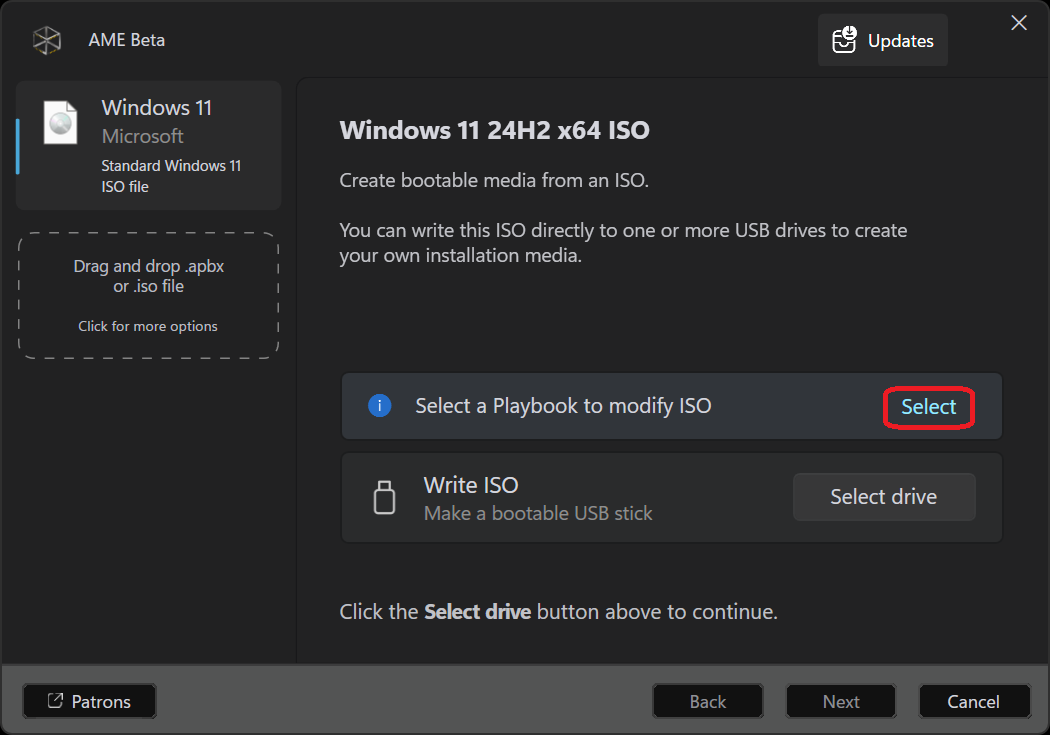
Once the ISO download finishes, the Select a Playbook to modify ISO prompt appears.
- Click Select.
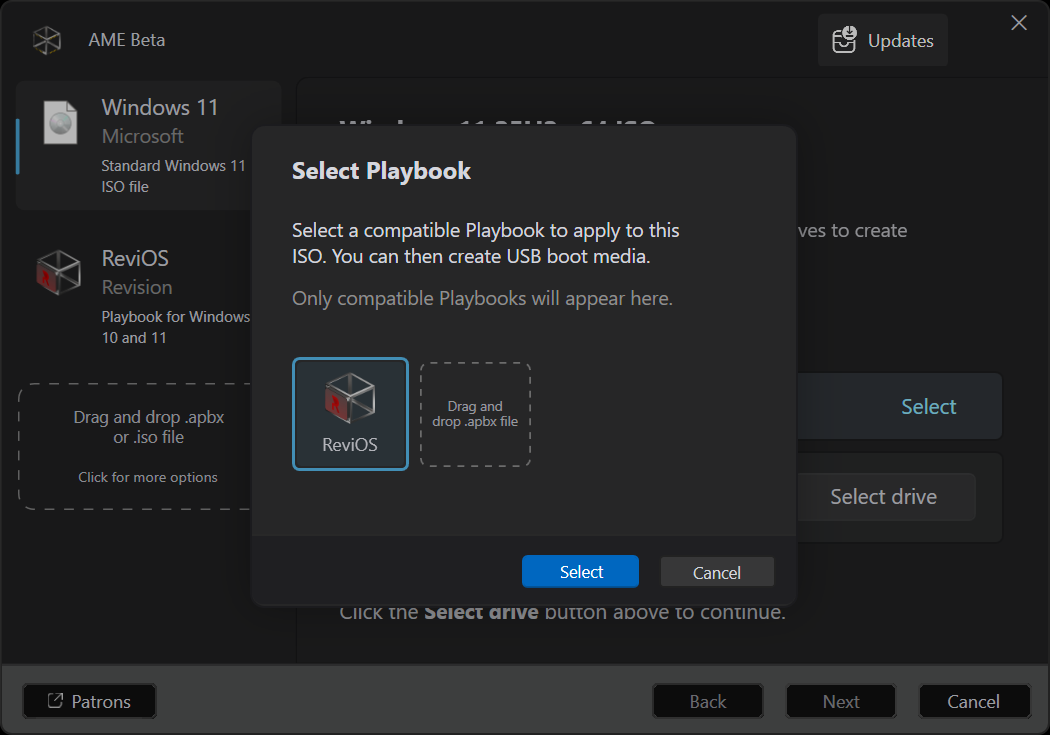
- Drag and drop your downloaded
ReviPB-x.y.apbxfile into the window. - Click Select to confirm.
Configure installation
- Click Next until reaching the Configure Options page.
- Click Select options to customize system settings and installed packages.
- Enable Include additional drivers to maintain network connectivity after installation.
- Click Next to proceed.
Set credentials
- On the ISO Credentials prompt, enter a default username (such as
User). - Enter an optional password, or leave it blank to log in automatically.
- Click OK to generate the modified ISO.
⚠️ Known issues and workarounds
- Bluetooth failure after setup: Open Terminal (Admin) and run:
reg delete "HKLM\SYSTEM\Setup" /v "OOBEInProgressDriverUpdatesPostponed" /f - Ctrl + Alt + Delete not working: Open Terminal (Admin) and run:
reg delete "HKLM\SOFTWARE\Microsoft\Windows\CurrentVersion\OOBE\SystemProtected" /v "DisableCAD" /f - Log directory error: Run AME Wizard Beta as administrator.
- Classic context menu missing: Re-enable it in Revision Tool.